My Obsidian Quarterly and Annual Notes
Rob Coles
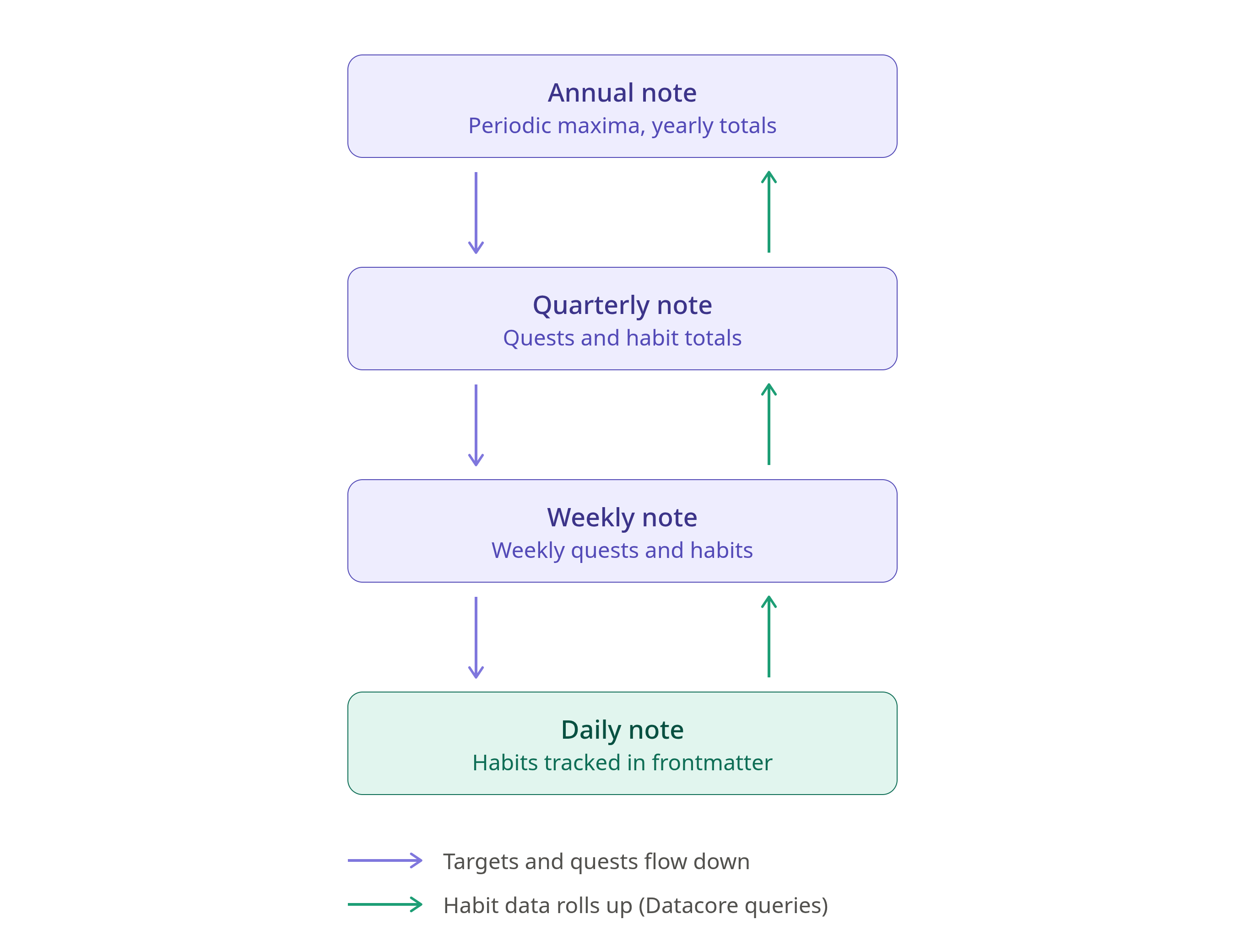
This post explains my quarterly and annual notes. The quarterly note is mainly tracking and planning. It feeds into the weekly note. The annual note is mainly tracking, but I do also use it to hold targets for habits. Annual planning, such as it is, is more focused on my 2x for 202x note .
This is the last in a series, which includes my daily note and my weekly note . I recommend looking at these first if you haven’t already done so.
Note hierarchy overview:
Quarterly note
I follow the general approach from Ali Abdaal’s Quarterly Quests and the 12 week year for quarterly planning, covering 3 calendar months..
The quarterly note process is similar to daily and weekly notes. I have a template in Obsidian and I use a python script to fill in some variable sections, like the navigator in the headings. The quarterly note creation process is run manually for the next quarter, and is named as the ISO year, then “Q”, then the quarter number, e.g. 2026-Q4. The template itself looks like:
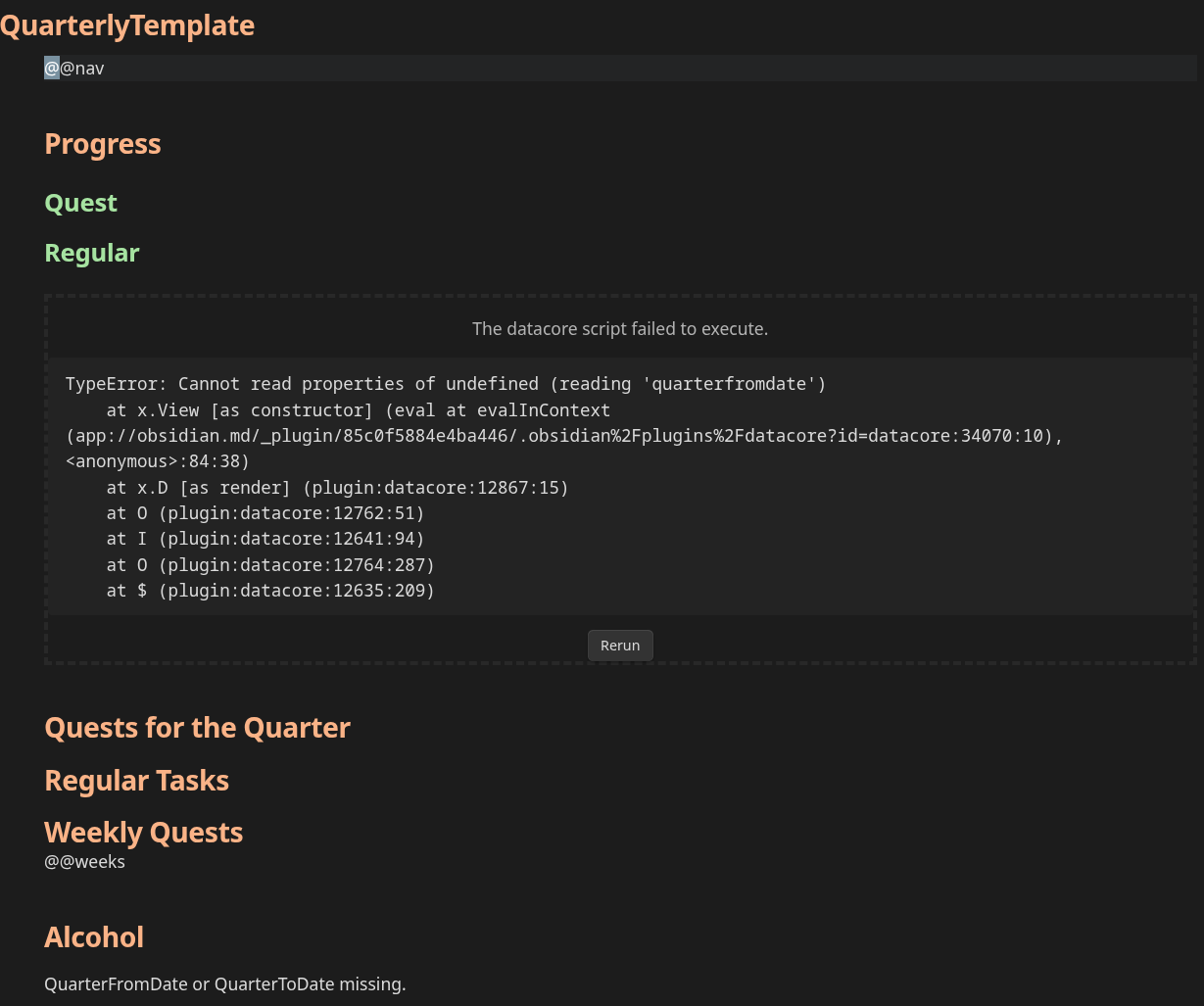
Lines starting with “@@” will be replaced by the python script. The datacore script fails in the template because the template is missing the start and end dates for the quarter in frontmatter. These are added by the python script, and this range drives the summaries.
Sections
Header and navigation
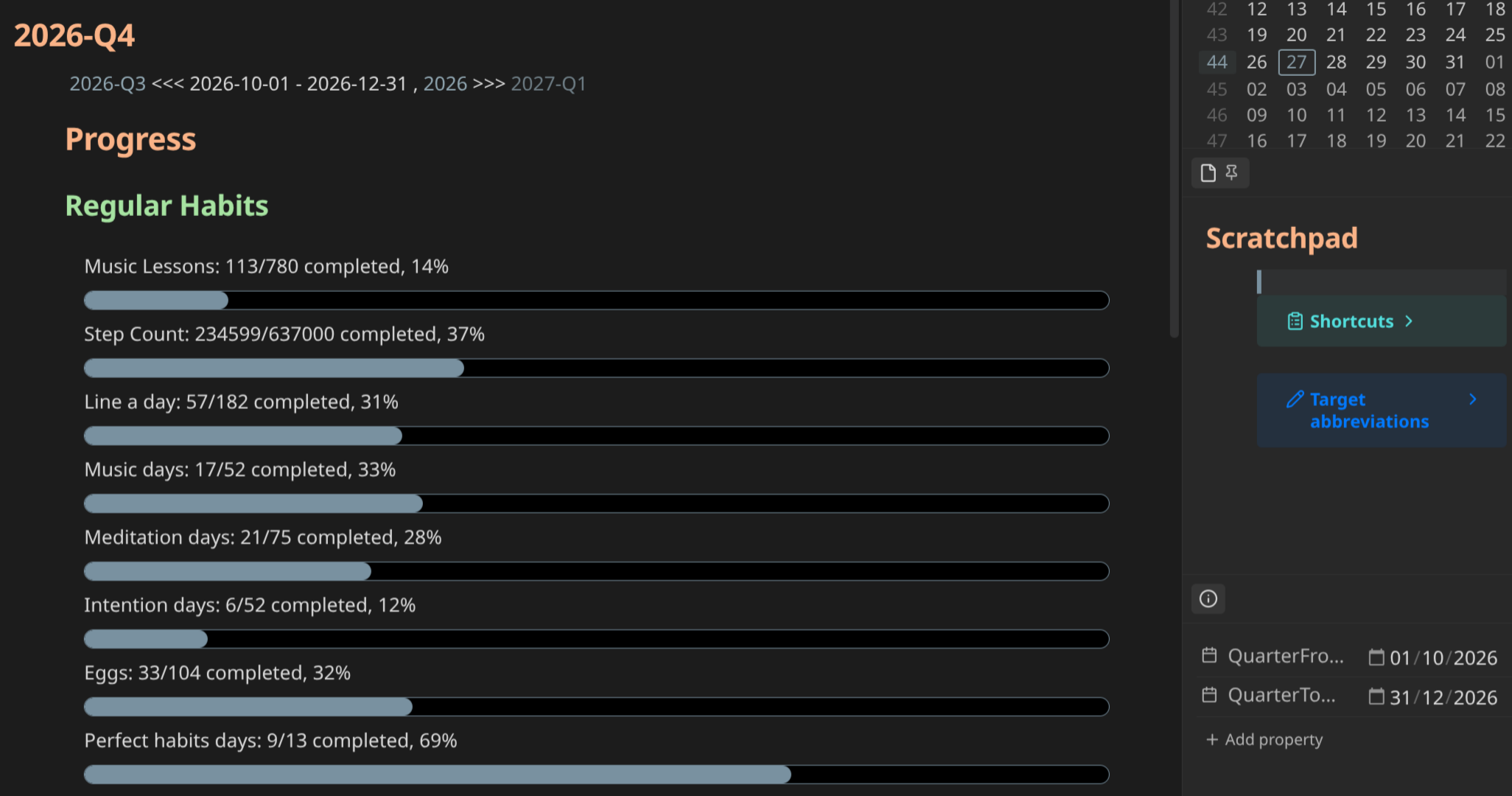
The quarterly note starts with a similar navigator to the daily and weekly notes, with a link to the previous and next quarterly note, and a link to the current annual note. The bottom right-hand column of the screenshot shows the frontmatter with the start and end dates for the quarter. This is used by the Datacore queries for the “Regular Habits” section next.
Regular habits
I have a number of habits that I track. This block rolls up the execution of a number of those daily habits and tracks them against a quarterly goal. While days can get away from me, I try very hard to hit the weekly, quarterly and annual targets. The quarterly habits tracked are the same as the weekly habits. This section is a Datacore query looking at frontmatter tracking entries in the daily notes for this quarter. There are similar roll-ups in the weekly and annual notes.
Quests
The title is borrowed from Ali Abdaal as it sounds a bit more interesting than “Plan”, but it is effectively the same thing.
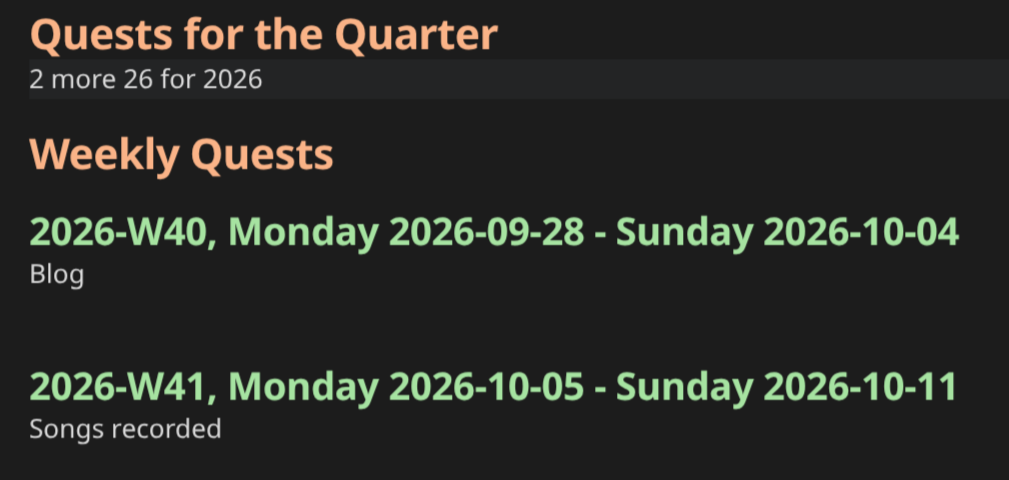
If there are any “whole quarter” plans, these go immediately under the “Quests for the quarter” heading. I had left an entry in my “26 for 2026” plan free for serendipitous things that happened through the year, but I have mostly been using Tiny Experiments for what would have gone here. Side note: I will probably move away from strictly 2x for 202x as it is getting harder to find that number of things I want to focus on. 18 for 2018 was easier!
Weekly quests
The Obsidian automation fills in the week dates for the quarter. At the start of the quarter I will go through my annual plan, currently my “26 for 2026” note, and pull out everything that was planned for this quarter or was an “all quarters” task. I will distribute these, repeating as necessary through to the individual weeks. These quests are pulled through automatically to the daily and weekly notes as an additional level of focus. See last years 2x for 202x note for a better example of weekly quests, but for example, my weekly quest as I type this is “Reaper” - learning and using the “Reaper” digital audio workstation.
Annual note
The annual note is named as the 4 digit year, and is created manually by copying the previous year’s note.
Sections
Header and navigation
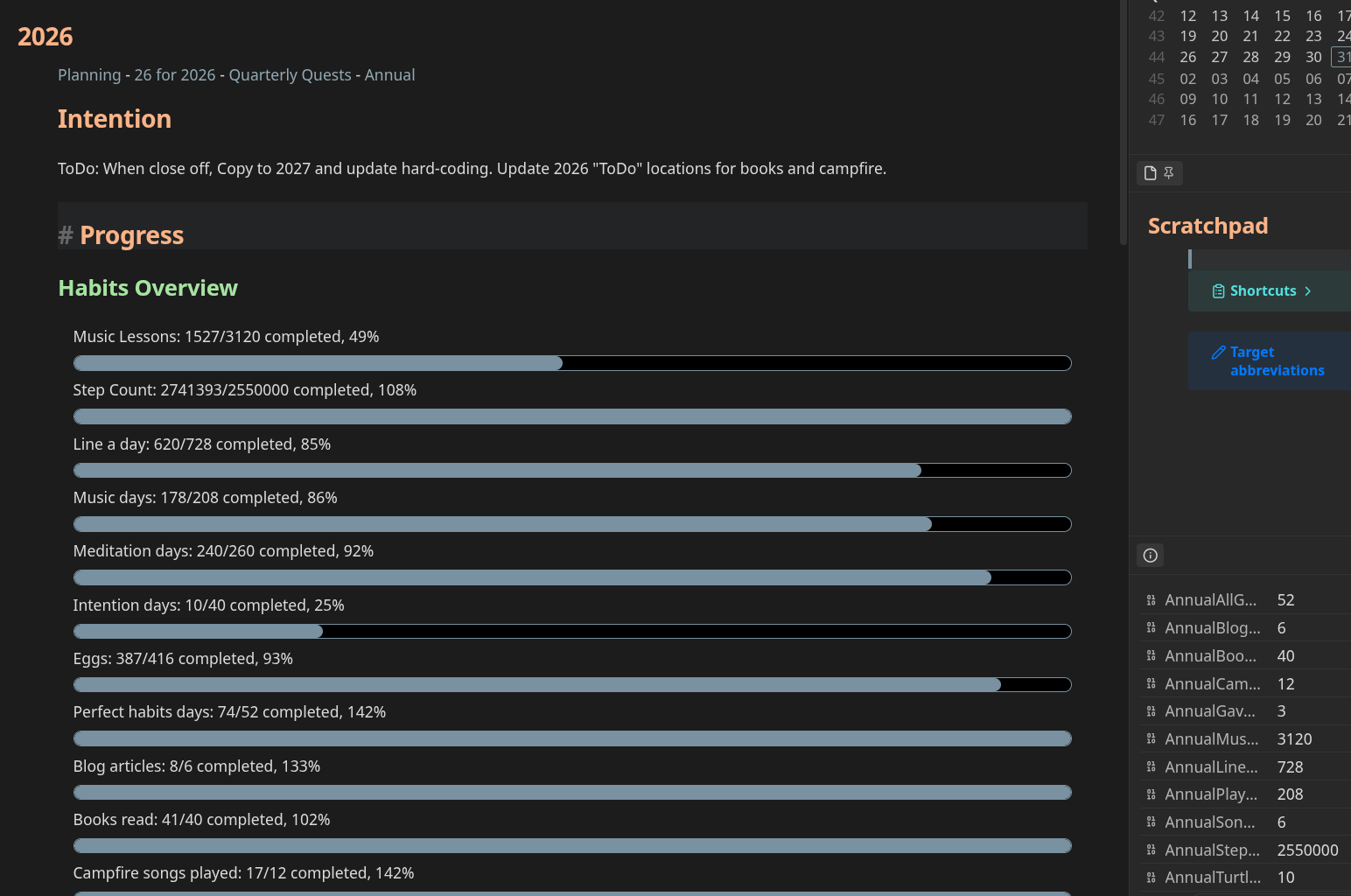
The annual note starts with a few links, but not currently a navigator. I have not automated the creation of the annual note.
Progress section, Habits overview
This section covers the usual habit tracking, but is expanded to include some of my other goals where tracking them at a more granular level doesn’t make much sense. This includes things like blog articles, where the target this year was 6 posts, or Turtle walks (tracking nesting turtles and destroyed nests around a nearby lake), which are only relevant between October and December. This is a Datacore query.
Periodic maxima
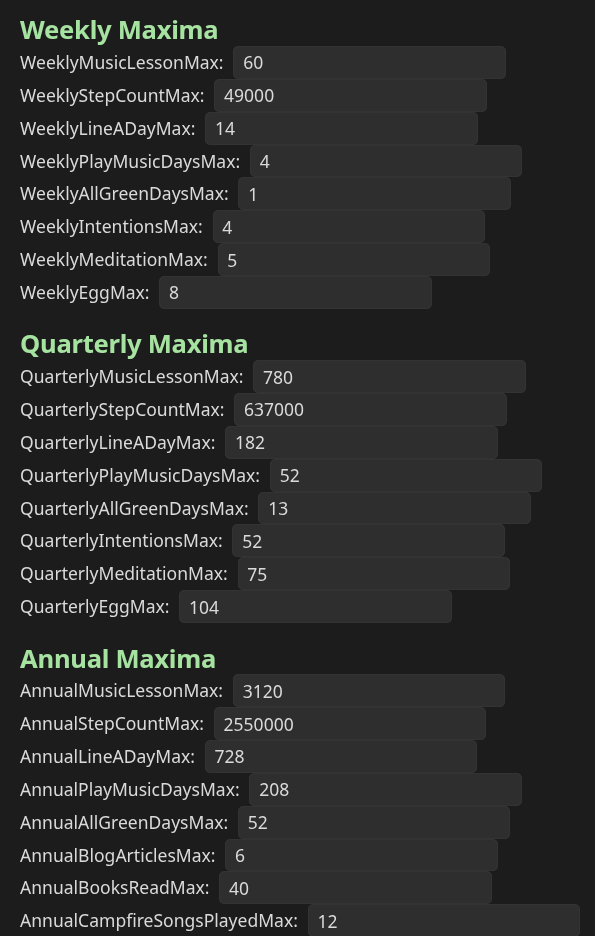
This section holds the targets for everything that is measured with the progress bars, weekly, quarterly or annually, broken down by period. The Datacore code that draws the status bars reads these values and uses the maximum to calculate progress. I define these at the start of the year, then break them down to quarters and weeks.
After the periodic maxima I just have a couple of transclusions that display other notes inline. These include the 2x for 202x note and the Alcohol summary for the year. The alcohol summary is the same one shown in the weekly note.
Things to look at
As I mentioned earlier, currently my quarterly and annual notes are date-based, starting on the 1st of the month for example. I have noticed issues where a week straddles a quarter, or a year. I don’t know whether I care enough about it to do anything about it. The fix would be to base quarters and years on full weeks instead of calendar months. There is a whole ISO standard about how this works. I’m still thinking about this. Most of my targets aren’t close enough for it to make much difference. I store the period start and end date in frontmatter for the quarterly and annual note so adjusting the ranges to span whole weeks would be straightforward.
I will add a navigator to the annual note, similar to the one used for the other periodic notes.
I am debating whether it is worth trying to automate the annual note. At the moment, since I will most likely revise all of the targets annually I am not sure there is sufficient benefit to warrant the time.
Conclusion
That concludes the descriptions of my periodic notes. These, along with my 2x for 202x note are what drive everything I do for planning and execution currently. The notes themselves are evolving, but are working well for my process. I hope the descriptions help you with yours, and please feel free to share your setup in the comments.
Resources:
Comments
No comments yet.