Recent Posts
Hardware and Software stack June 2026
I have learned a lot from looking at other people’s working hardware and software, and I wish I’d started recording mine years ago. However, in the spirit of “the second best time to plant a tree…” this is my current hardware and software stack as of June 2026.
Hardware
- Main working PC: Dell Inspiron 16 Plus laptop .
- The “Homelab”: Runs on an old Dell XPS 15 and a Raspberry Pi 5 .
- NAS: QNAP TS469 Pro .
- Dock: The Inspiron connects to a Dell SD25TB4 dock.
- Monitors: An HP 24" and an HP 23". The laptop is on a stand so the screen sits at roughly the same height as the external monitors.
- Mouse: Logitech M590 .
- Keyboard: Currently a Logitech MX Keys S . I am on a hunt for a near-silent keyboard that feels good to type on, so this is not my “forever” keyboard. I am looking into having a split ergonomic keyboard made with Choc Twilights in the hope that it will be an improvement.
- Audio interface: Focusrite Scarlett 2i2 .
- USB Hub: A generic USB 3 hub, because there can never be enough USB ports.
Software
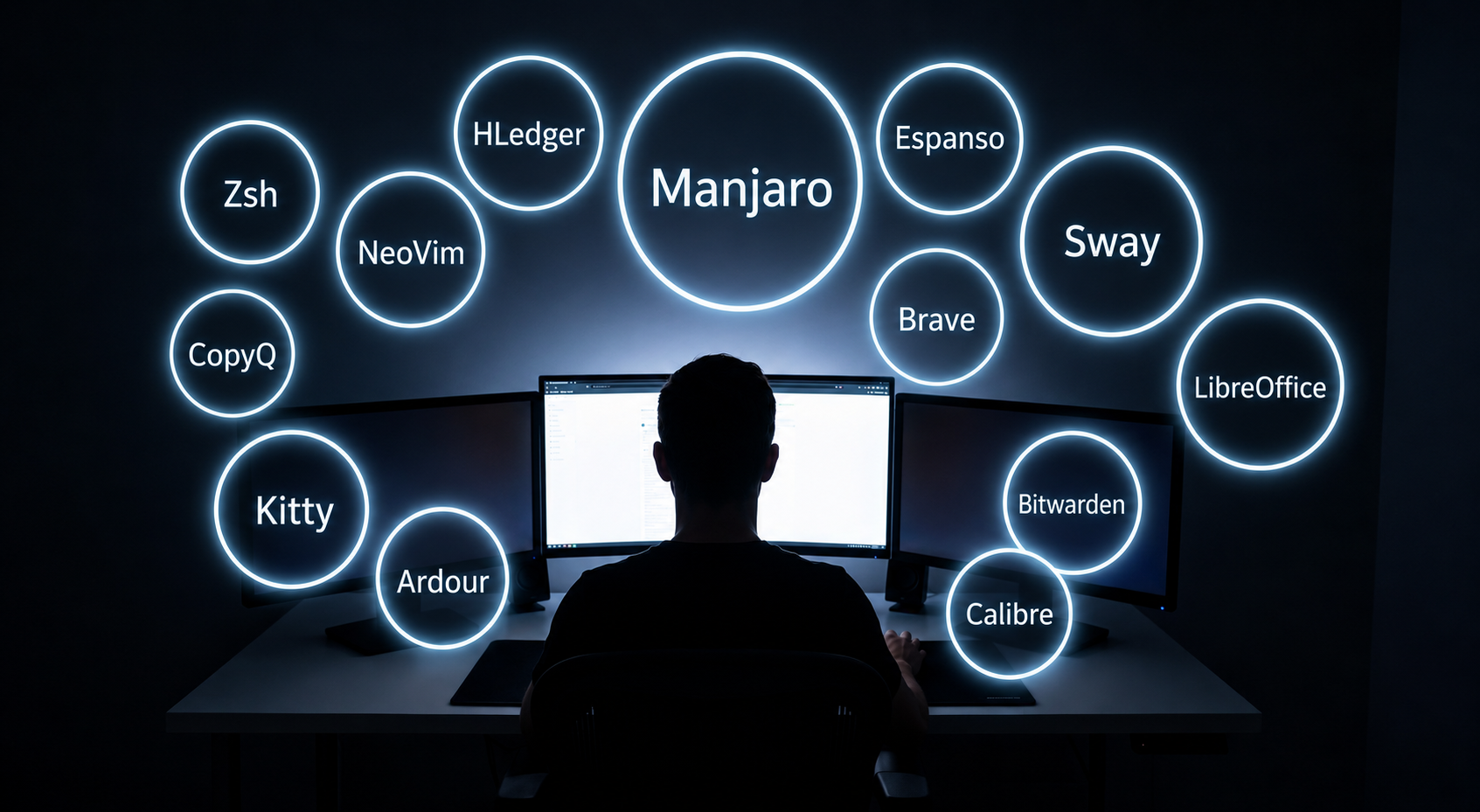
- OS (Working PC): Manjaro —a flavor of Arch Linux that is not quite so scary to install. I have gone from Windows through Linux Mint, then Kubuntu, and am currently on Manjaro. I have no real incentive to move.
- OS (Homelab): Both machines run on Ubuntu Server . This was based on a recommendation from Mischa van den Burg and has not caused any dramas.
- Desktop Environment: Sway and Wayland . I prefer keyboard-driven switching to flashy graphics and normally turn all animations off. So far, after some initial teething issues, this has been working very well. Booting up automatically opens three sessions: Obsidian, email, and a browser, and I open others as required.
- Email: Thunderbird . I have a couple of automations built in here to easily track emails in Obsidian.
- PKM: Obsidian . I moved here from Evernote and have never regretted it.
- Clipboard Manager: CopyQ . I used Ditto on Windows and this was the closest I could find.
- Keyboard Expansions: Espanso . The only niggle I have is that it seems to lose its connection if I plug in the dock. I have a Zsh alias set to reconnect, but it would be great not to have to.
- Menu & List Handling: wofi . I use “drun” to pick from everything and utilize a couple of custom configs for things like my month-end finance process and a quick calculator.
- Taskbar: Waybar .
- Screenshots: Gradia for images that need tweaking, and Grim to go straight to the clipboard.
- Cloud Backup: pCloud .
- Phone Connectivity: KDE Connect .
- Voice-to-Text: whisrs . I am looking at alternatives at the moment.
- Music Recording: Ardour .
- Local Music: Audacious . Still looking for the perfect solution here.
- Browser: Brave Origin, but looking around.
- Terminal & Shell: Kitty as the terminal and Zsh as the shell, using Starship for the prompt. I previously used Alacritty and only left because I wanted built-in image support.
- Text Editor: Neovim for editing, programming, and debugging. I was a long-time VS Code user but like the fast startup and Vim key productivity. Learning the Vim keys is still a journey—and I know I can use them in VS Code—but I’m sticking with Neovim via LazyVim for now. I just need to figure out a remap to avoid messing up the paste buffer.
- Office Suite: LibreOffice . It’s close enough to what I’m used to for me to be quickly productive.
- File Manager: Yazi manages most of my files. I revert to Dolphin if I need drag-and-drop, but rarely otherwise. I have looked at Ranger and Midnight Commander, but Yazi was the first and it’s hard to dislodge.
- Git Client: LazyGit is my command-line Git client of choice. I use SmartGit if I want a full GUI.
- Backups: All done with rsync scripts.
- E-Book Management: Calibre for handling books and working with my Kindle.
- PDFs: Created via scans with gscan2pdf and viewed with Okular .
- Finances: hledger .
That’s about it for regular programs. I do some scripting in Python and Zsh, utilizing fzf and ripgrep there. I’m sure I have left some things out, but I will add anything missing as I find it.
By Rob Coles
read moreLinux Mint Experiment Part 2
TL;DR: Long time Windows user trying an alternative to Windows 10 on hardware that Windows 11 won’t support. Part 1 covered why and how the install was done and Mint tweaks on initial load. This post looks at initial impressions, basic software replacements, lessons learnt and next steps.
Initial impressions
Coming from Windows, booting into a desktop that looked at least familiar was a big plus. With a little bit of fiddling, all of my existing hardware was working and I could use all 3 screens including the laptop one which no longer needed a microscope to read. I had customised the wallpaper and that was about it. Now it was time to try to get to work.
By Rob Coles
read morehledger Plain Text Accounting Experiment
I am probably over the top in wanting to keep a close eye on our finances. They are slightly more complex than the norm as I follow a modified version of the barefoot investor “buckets” system, we have a hobby business, and a loan to a family member that we are tracking. Until recently this was managed through separate spreadsheets. This was OK, but when we needed to find out our annual expenditure for pension forecasting, getting to the number was time-consuming. We are moving into retirement now and may need to look more closely at expenditure in various areas. I wanted a better way to look at this.
By Rob Coles
read moreMy Obsidian Daily Note
Why have a daily note?
I wanted to have a place where I could plan and track what I was doing through the day. I’ve experimented with kanban boards, pomodoro, Eisenhower matrix, and various other productivity techniques. The approach that has worked best for me was timeboxing. When I was working, I’d use the daily note to timebox my day and follow progress in the right hand sidebar with the Day Planner plug in. I have recently retired and am not currently timeboxing. I still have appointments and tasks that I need to do, and the existing format still works for me even though my day is not as structured as it was.
By Rob Coles
read moreLinux Mint Experiment Part 1
TL;DR: Long time Windows user trying an alternative to Windows 10 on hardware that Windows 11 won’t support. Part 1 covers why and how the install was done and Mint tweaks on initial load. Further posts will look at alternatives to Windows programs used and other challenges encountered.
Background
I started my PC journey with an early IBM PC and DOS on the command line way back when PCs were first a thing. I looked at Windows 2 and deleted it in horror, was sucked into Windows 3.1.1 with a corporate job, and apart from a brief affair with OS/2 Warp I have stuck with Windows through its various incarnations (apart from Vista, obviously 😱).
By Rob Coles
read more