Theming Experiment Part 1
Rob Coles
Time blocking was my go-to method for getting through my to-dos when I was working. It served me well, but now that I am retired, have fewer small, separate pieces of work and more control over my day, it is feeling a bit too restrictive. I do still want some structure to my days, and I have a number of projects that I want to complete this year.
Having read The Productivity Diet by Mike Vardy , one of the concepts he focuses on, “Theming”, resonated, and it looked like it could provide the flexibility and structure I am looking for. I decided to make this a tiny experiment and see if it worked for me.
Theming Summary
Mike Vardy outlines 6 layers of time themes. These are:
- Horizontal Themes - Structuring specific hours (or even minutes) of the day across multiple days, ensuring consistency and flow.
- Daily Themes - Assigning a focus to each day to reduce decision fatigue and provide clarity.
- Weekly Themes - Giving an entire week a guiding priority to ensure deep work and strategic progress.
- Monthly Themes - Directing attention to a major focus area for concentrated growth and improvement.
- Seasonal Themes - Aligning priorities with natural cycles of expansion and renewal throughout the year.
- The Annual Axiom - A single word or phrase that sets the tone for the year and influences high-level decisions.
I already have a word for the year, which is “Intention”, and I am not planning on having a monthly or seasonal theme, at least for this experiment. I will try horizontal, daily and weekly themes to see what sticks.
As I understand it, themes make it easier to identify what to do next. Inevitably the best intentions get derailed from time to time. Having set the intention for each day and week, based on the outcomes I want to achieve, I’ll have that in front of me when I’m selecting my next action. Hopefully that will help me make progress on my goals.
My Themes
Mike was kind enough to share some advice about structuring the themes, and I have ended up not theming every day and hour. To identify the initial themes I went back to my “26 for 2026” list, and looked at everything that I had planned for this quarter. Then I thought about what went together, effort, and how theming could work. This is very much a first pass and I am expecting to have a few iterations.
This is what I am going to use initially:
Horizontal
I am setting time aside every lunchtime for meditation. I want to build a meditation habit and tying it to a specific time should help with that.
Daily
I am not theming every day. I hope that that will give me the flexibility to at least cover the themes I have chosen in the week even if a day gets written off because of a family drama, for example. The days and themes I have chosen to start with are:
Monday: Making music.
I’m trying to learn, at various stages of incompetence, Guitar, Ukulele and Piano. I try to practice at least one of these daily, but having a day dedicated to music should help with other non-practice music goals, which include learning and using TuxGuitar (for entering music and tab) and Ardour for recording.
Tuesday: Creating and learning
Tuesday is intended to include things like this blog, learning Linux and various tools, learning the ESP32, the Piantor keyboard and anything else not specifically music related where having a solid block of time available is really required.
Wednesday is currently not themed
I am using this for overflow and stuff that doesn’t conveniently fit into any of the other themes.
Thursday: Shopping and chores
I do the weekly shop, it is the day our bins go out and there are a bunch of other household things that need to happen regularly. They are batched up here.
Friday: Frog Friday
This is the day for the aversive tasks. I give myself permission to avoid aversive stuff on other days, but Frog Friday has one task I’ve been putting off that I have to make progress with. This does take a bit of discipline. I am world-class at coming up with excuses. I am not committed to completing the task, but I am committing to making meaningful progress.
Saturday is currently not themed
It can act as the overflow for Frog Friday if I found a viable excuse on Friday.
Sunday: Review and plan
I do a weekly review, a look at Plus/Minus/Next for next week and create next week’s weekly note.
Weekly
I was already doing a kind of weekly theming as a part of my quarterly planning. I looked at the things I’d planned for the quarter and spread them out over the weeks so that I should be making some progress on them. I have left these in place for now, and am planning on using them as a kind of high-level guidance, and especially for the non-themed days.
Setup Changes
Task notes
I added an easy way to add a theme tag to individual task notes. I just extended my input helper script so if I choose “Theme” it will prompt me and then add the Obsidian front-matter and Meta Bind incantation. This is in my Obsidian-related code , sets a front-matter value and inserts a string like:
Theme: `INPUT[inlineSelect(option(Making music),option(Creating and learning),option(Shopping and chores),option(Frog Friday), option(Review and plan)):Theme]`
which gives me a drop-down box if I need to change the theme. So, my note would look like:
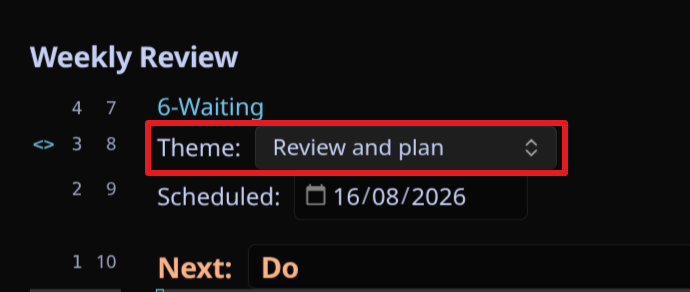
I went through my priority one and two tasks and weekly tasks and added a theme if there was one that was appropriate.
Theme Note
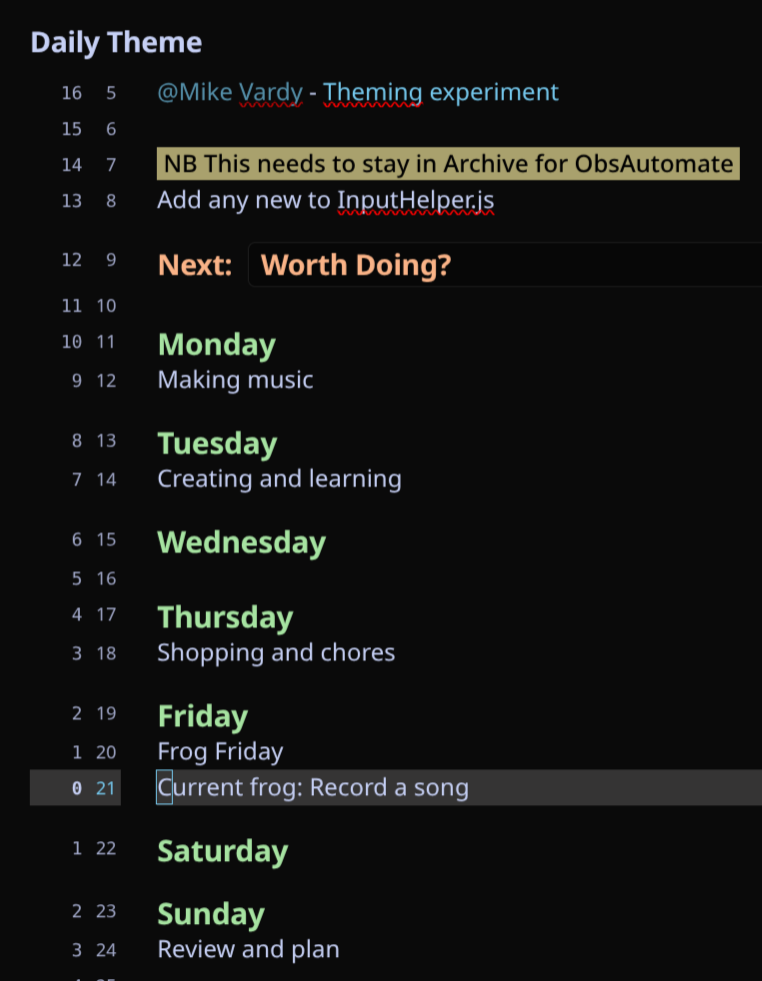
I created a theme note that is then used by my daily note generation. This holds the themes for the week.
Daily note generation
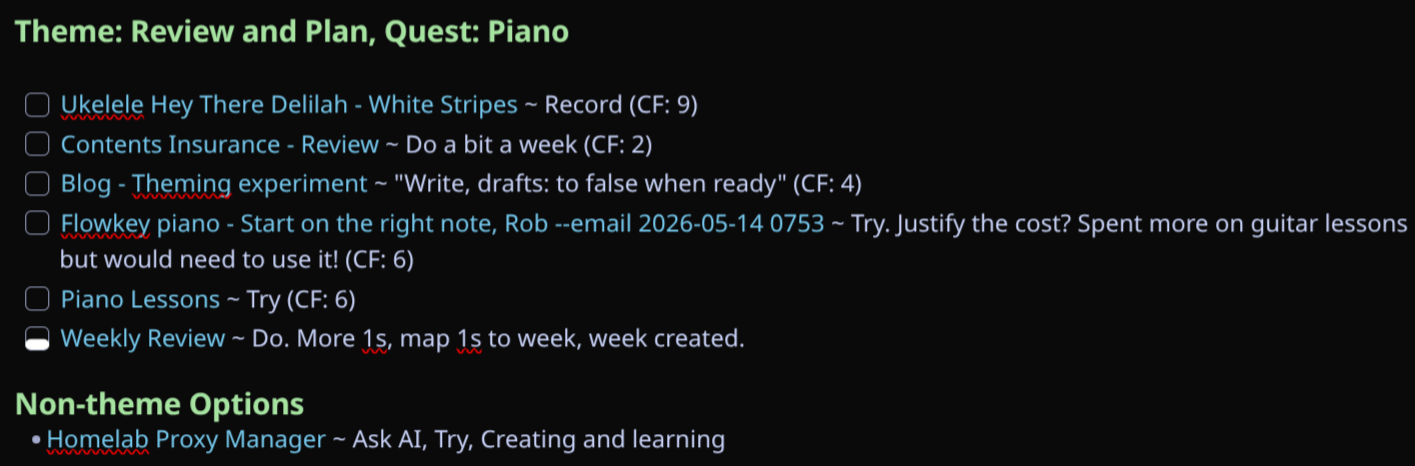
Claude and I added code to the daily note generation Python script so that it pulls the theme for the day, and then prioritises tasks that relate to the daily theme if there is one. Priority tasks that are not specific to today’s theme are shown, but in a separate section.
Process
Now the setup changes are in place, there are minor tweaks to my process:
Incoming tasks are given a theme as they are prioritised if there is one that is appropriate.
The daily note includes the theme immediately above the tasks, then prioritises themed tasks first on theme days. These tasks are more of a menu than a list that will be completed. In the morning I’ll look at the tasks, and anything on the calendar, and pick what I think is achievable as a rough plan for the day. I’m currently doing today’s plan on a 3x5 card, and adding the theme if there is one, to the top of the card. I’m using the card to drive what I’m going to do next, updating the daily note at the end of the day, and going back to it in the unlikely event I run out of things to do from the card.
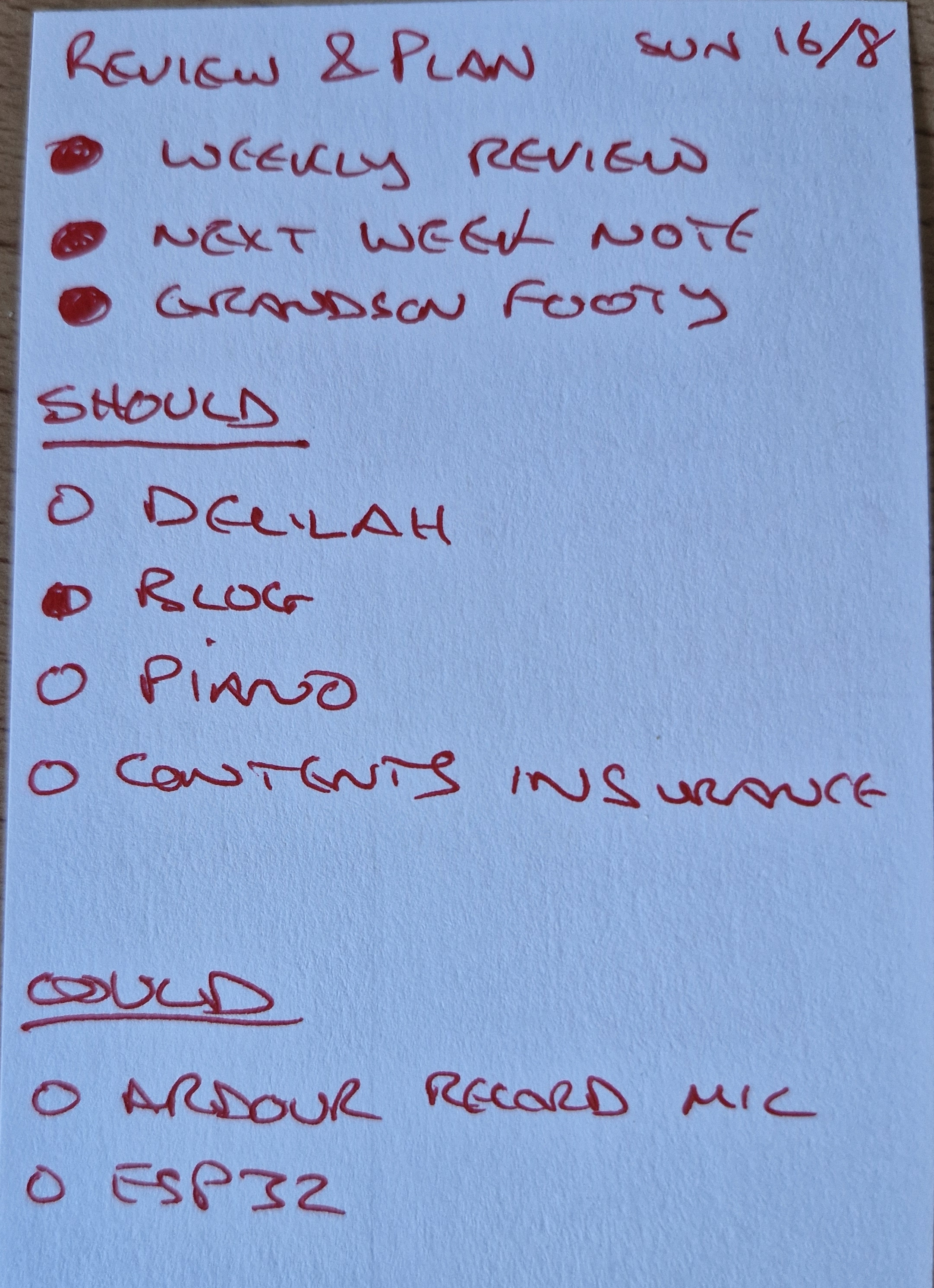 (Please excuse the handwriting).
This card sits in front of my main screen in an “Ugmonk-like” stand so it is always in view.
Next Steps
I’m going to run the experiment during August and September 2026, and will do an update blog post at the end of that with findings.
Resources:
Mike Vardy Theming Video
The Productivity Diet book
My Obsidian-related code